Sony Ericsson / Sony : Software, Firmware and Drivers : ModMix Camdriver v2.0 Final with Manual Focus, Manual Contrast for K790/K800/K810
>
New Topic
>
Reply<
Esato Forum Index
>
Sony Ericsson / Sony >
Software, Firmware and Drivers
> ModMix Camdriver v2.0 Final with Manual Focus, Manual Contrast for K790/K800/K810
Bookmark topic
please put code contrast mode.. 
[ This Message was edited by: ghostweb on 2008-01-25 21:28 ]
--
Posted: 2008-01-25 22:26:58
Edit :
Quote
@KillerPK:
i have question:
After i set the MF to -2.0 then back to auto Effects do i need to back the EV to 0.0?cause its to dark after setting the effects to auto?
thanks a lot
--
Posted: 2008-01-26 01:25:20
Edit :
Quote
On 2008-01-26 01:25:20, toyds wrote:
@KillerPK:
i have question:
After i set the MF to -2.0 then back to auto Effects do i need to back the EV to 0.0?cause its to dark after setting the effects to auto?
thanks a lot
After setting MF, back on normal effect you can set EV to anything you like e.g 0.0, it wont reset the focus.
--
Posted: 2008-01-26 01:29:55
Edit :
Quote
thanks killerPK

--
Posted: 2008-01-26 02:08:08
Edit :
Quote
Ok, v1.52 with manual contrast posted.

--
Posted: 2008-01-26 03:05:28
Edit :
Quote
killerpk too thanks!..
--
Posted: 2008-01-26 06:37:58
Edit :
Quote
Both pics in Landscape mode with Manual Focus:


--
Posted: 2008-01-26 07:30:08
Edit :
Quote
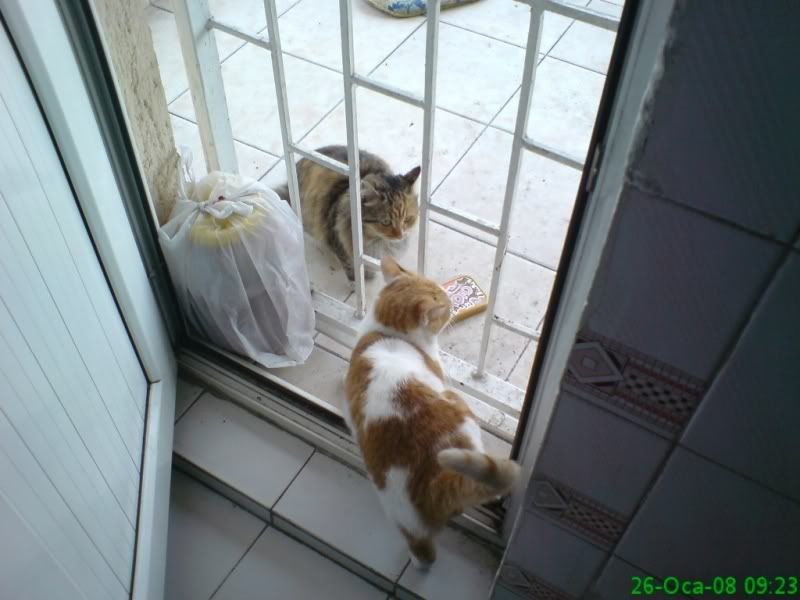

[ This Message was edited by: ghostweb on 2008-01-26 08:52 ]
--
Posted: 2008-01-26 09:52:24
Edit :
Quote
@KillerPK
How did you take that kind of picture?
this is the Manual Focur procedure right?
1. Set Focus to Infinite (meaning turn off autofocus and set it to Infinity - shortcut is the 4 key)
2. Select Black and White effect from Effects menu
3. Set Focus with the joystick (-2.0 is far, +2.0 is nearest)
4. After focus is set, change effect back to normal (focus is saved)
5. Now set EV and take picture as you normally would
Inquiry:
1.When executing procedure#2 zoom is execute 30%(is this right??)
2. In procedure#3 if the object is far we need to set the focus to negative(-2.0) until it take focus or positive(+2.0) for nearer object)??
3. Now in procedure#4,after the focus is already set effect should be back to normal,which means AUTO and the 30% zoom is disappear am i right?
How did you manage to take that pictures of yours?did you zoom it before posting here?
thanks a lot
--
Posted: 2008-01-26 11:16:51
Edit :
Quote
is it possible to change the MF function to another 'effect'?
because i use B&W effect almost everytime and this function changed the B&W completely useless. can you make the MF function to work with another effect for example 'solarize' mode.
it is said that MF works only in infinite focus and B&W effect. but i have experiencing a bug that prevents me using B&W function in every photo mode, and focus mode.
--
Posted: 2008-01-26 12:21:58
Edit :
Quote
New Topic
Reply
