Sony Ericsson / Sony : Themes, ringtones, screensavers, games, video clips : Post your photoshopped wallpapers here!
>
New Topic
>
Reply<
Esato Forum Index
>
Sony Ericsson / Sony >
Themes, ringtones, screensavers, games, video clips
> Post your photoshopped wallpapers here!
Bookmark topic
Here's a quickie for the night.
 Paper Flow
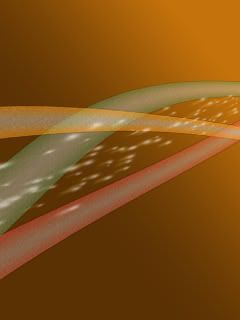
See ya tomorrow, guys!

--
Posted: 2007-12-24 01:55:38
Edit :
Quote
Guys, I've got a new one! Spent a lot of time on it, too!
Abstract Horizon
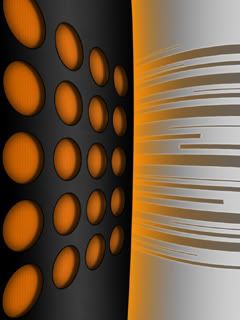
Hope you like it.
[ This Message was edited by: NightBlade on 2007-12-24 14:45 ]
--
Posted: 2007-12-24 15:17:21
Edit :
Quote
For K850i, Working on it, here's intial one

--
Posted: 2007-12-24 16:14:52
Edit :
Quote
Really nice @Nightblade!
@arunvc - maybe you should host it at imageshack or something like that to get rid of the esato branding.
--
Posted: 2007-12-24 16:42:05
Edit :
Quote
Spot on, thanks mate, happy xmas!!!
--
Posted: 2007-12-24 18:03:32
Edit :
Quote
Here's a quickie cyber-shot wallpaper:
Glass Ring

EDIT: Uploaded a better version of the above image.
[ This Message was edited by: NightBlade on 2007-12-24 20:36 ]
--
Posted: 2007-12-24 18:17:09
Edit :
Quote
These are very nice wallpapers! Would love to see a batch of flash or animated! Keep up the good work!
--
Posted: 2007-12-24 18:22:48
Edit :
Quote
Thanks guys.
--
Posted: 2007-12-24 18:30:17
Edit :
Quote
Here's my newest addition:
Liquid Gold
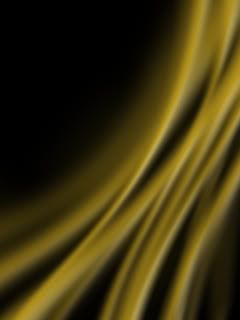
Classy
Beginner's tip
To create the above flow effect, just create some "reflected" gradients (as in, smooth/gradient lines) with the
Gradient tool (all in a new layer) in a relative direction, use
Selection tool>Right Click>Free Transform>Right Click>Warp or even
>Perspective to bend them a little and make them more flow-like and then use
Filter>Blur>Motion Blur in the desired direction. After that, play a little with
Blending Options>Bevel and Emboss to additionally differentiate the different flow parts and give it a more 3D look.
[ This Message was edited by: NightBlade on 2007-12-25 14:15 ]
--
Posted: 2007-12-25 14:53:10
Edit :
Quote
@Nightblade
All your wallpapers are interesting and very well done, but you win special kudos for the extraordinary Abstract Horizon, a very fine creation indeed.
Cheers and keep it up!
--
Posted: 2007-12-25 15:18:44
Edit :
Quote
New Topic
Reply
