>
New Topic
>
Reply<
Esato Forum Index
>
Sony Ericsson / Sony >
Android
> Xperia 1 VIII
Bookmark topic
On 2026-09-07 09:20:41, Maratonmannen wrote:
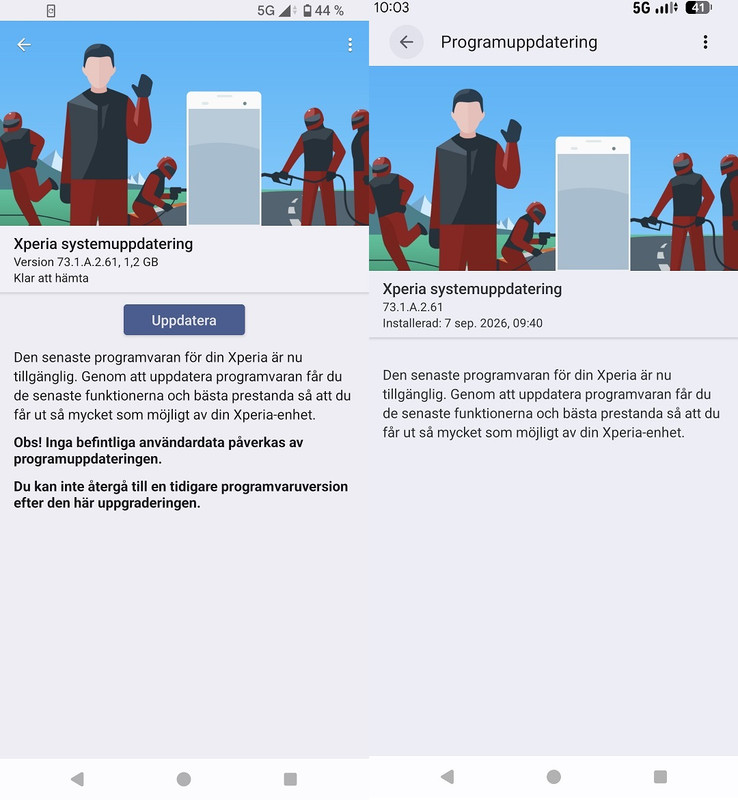
Screenshot when I got the notification icon and after A17 was installed.
How do I get rid of the time in the system bar? That is new with A17.
Your Xperia wasn't Japanese? How do you get the European version?
--
Posted: 2026-09-07 09:40:49
Edit :
Quote
Quite a large update, 1179.0 MB. Just downloading mine.
[ This Message was edited by: goldenface on 2026-09-07 10:17 ]
--
Posted: 2026-09-07 11:12:07
Edit :
Quote
Maratonmannen Posts: > 500
On 2026-09-07 09:40:49, herasymcuk wrote:
Your Xperia wasn't Japanese? How do you get the European version?
I have a European version from work.
My Japanese XQ-GE44 is still on 73.0.A.2.53
--
Posted: 2026-09-07 11:42:39
Edit :
Quote
What do we think of the new settings interface?
My Whatsapp Widget has stopped working.

[ This Message was edited by: goldenface on 2026-09-07 11:59 ]
--
Posted: 2026-09-07 12:29:40
Edit :
Quote
Sony is the first manufacturer in the world to release Android 17.
--
Posted: 2026-09-07 15:39:28
Edit :
Quote
https://www.sony.co.uk/electronics/support/articles/00409051
I had to restart my phone a couple of times but all is good.
--
Posted: 2026-09-07 16:46:15
Edit :
Quote
woo! excited for android 17 just to try the desktop mode.
Otherwise, doesn't seem like anything mind blowing.
Still waiting for a notification on my japanese model.
anybody try desktop mode yet? gives me a reason to invest in a small-ish external display I can pack with me when necessary.
--
Posted: 2026-09-07 18:24:55
Edit :
Quote
On 2026-09-07 15:39:28, herasymcuk wrote:
Sony is the first manufacturer in the world to release Android 17.
Nice! Back to their professionalism 😁
I haven't got mine yet though.
--
Posted: 2026-09-08 03:52:35
Edit :
Quote
Maratonmannen Posts: > 500
On 2026-09-07 18:24:55, moogoo wrote:
woo! excited for android 17 just to try the desktop mode.
anybody try desktop mode yet? gives me a reason to invest in a small-ish external display I can pack with me when necessary.
It’s not something I think I’ll need, but how do I connect the phone to a monitor?
My monitor has inputs for DisplayPort, Mini DisplayPort, and HDMI.
I have no such cables to connect the phone.
--
Posted: 2026-09-08 11:59:56
Edit :
Quote
Can't seem to find anything on the phone settings for it.
--
Posted: 2026-09-08 13:05:55
Edit :
Quote
New Topic
Reply
