>
New Topic
>
Reply<
Esato Forum Index
>
Sony Ericsson / Sony >
Android
> Xperia 1 VIII
Bookmark topic
the guy on XDA replied and said his phone is stock.
but sure seems like a random occurrence. haven't seen any major reports of issues since the A17 update.
--
Posted: 2026-10-01 23:15:45
Edit :
Quote
On 2026-10-01 14:43:45, herasymcuk wrote:
On 2026-10-01 13:00:58, moogoo wrote:
At the time of this post, there are two people on XDA who reported their updated 1m8 to A17 had some bugs that sent their phone into a boot loop.
Not sure if they had performed any modifications to the ROMs or otherwise or if they did a stock A17 update or flashed something custom.
Just wondering if anybody here has had any weird UI bugs since updating to A17.
Still no A17 available for the Japanese model.
The only annoying bug I've encountered so far is Quick Share malfunctioning. There was an app update yesterday, too, but nothing changed. Regarding the bootloop, let's hope it's not the same one as the mark 17
Mine is asian set. No issues with quick share after android 17. Hope yours get solved.
--
Posted: 2026-10-01 23:51:40
Edit :
Quote
On 2026-10-01 23:51:40, tai020381 wrote:
On 2026-10-01 14:43:45, herasymcuk wrote:
On 2026-10-01 13:00:58, moogoo wrote:
At the time of this post, there are two people on XDA who reported their updated 1m8 to A17 had some bugs that sent their phone into a boot loop.
Not sure if they had performed any modifications to the ROMs or otherwise or if they did a stock A17 update or flashed something custom.
Just wondering if anybody here has had any weird UI bugs since updating to A17.
Still no A17 available for the Japanese model.
The only annoying bug I've encountered so far is Quick Share malfunctioning. There was an app update yesterday, too, but nothing changed. Regarding the bootloop, let's hope it's not the same one as the mark 17
Mine is asian set. No issues with quick share after android 17. Hope yours get solved.
Google_support
Samsung_Support
It’s not just my problem; it’s an issue acknowledged globally by Google itself. It has been present since the very first releases of Android 17 on their Pixel devices! The issue stems from the fact that with Android 17, they introduced (or rather, attempted to introduce) compatibility with the iOS ecosystem. Unfortunately, since iOS supports Wi-Fi Direct, when you select "Share with Quick Share," the phone turns off its Wi-Fi—breaking the connection to the PC network you intended to send the file to—in order to scan for potential iOS devices to connect with via Wi-Fi Direct. Quick Share turns the Wi-Fi back on after a few seconds... but eight times out of ten, the transfer has already started via Bluetooth, which—unfortunately—takes an eternity or fails completely.
--
Posted: 2026-10-02 06:51:27
Edit :
Quote
I wouldn't say that it is acknowledged by Google. Those support forums are pretty much a Reddit run by Google.
It could be intended behavior from now on. Or Google could be fixing it for the next update. Who knows. From the sound of it, it's been that way for awhile and hasn't been fixed. Typical Google nonsense doing what they want to do and making everyone else deal with feature/service loss because they didn't think it was worth their time/money to work on anymore.
--
Posted: 2026-10-02 12:26:43
Edit :
Quote
On 2026-10-02 12:26:43, moogoo wrote:
I wouldn't say that it is acknowledged by Google. Those support forums are pretty much a Reddit run by Google.
It could be intended behavior from now on. Or Google could be fixing it for the next update. Who knows. From the sound of it, it's been that way for awhile and hasn't been fixed. Typical Google nonsense doing what they want to do and making everyone else deal with feature/service loss because they didn't think it was worth their time/money to work on anymore.
I understand your skepticism about support forums, but this is a global framework issue rather than user speculation. Samsung recently published an official support page explicitly confirming that entering Quick Share or enabling Apple compatibility drops the 5GHz/6GHz Wi-Fi connection instantly to scan for AirDrop frames.
The problem is pure hardware scheduling on shared Wi-Fi/Bluetooth combo chips. When Android 17 forces the radio to scan for nearby iOS targets via Wi-Fi Direct, the chip is physically forced to tear down the active local network connection to your PC. Because the network socket drops instantly, Quick Share immediately falls back to standard Bluetooth as a fail-safe to prevent the transfer from erroring out right away.
Google is clearly trying to fix this oversight, as the latest Google Play Services v26.36.35 update targets connected devices stability (it's out today). However, the current patch creates a massive race condition. The phone fails to re-initialize the Wi-Fi socket fast enough, leaving your first transfer stuck on ultra-slow Bluetooth, while subsequent files fly at full speed because the Wi-Fi stack finally woke up. The real tragedy is for devices running clean Android layouts, like our Sony Xperia 1 Mark 8 where users don't even have a Samsung-style toggle to manually turn off the iOS extension and restore stable PC transfers.
--
Posted: 2026-10-03 15:48:37
Edit :
Quote
I think you misunderstood my post. I'm not saying the behavior doesn't exist. I'm saying Google has not officially acknowledged it.
So yes, the described behavior exists. Yes, it sucks if it breaks your usual workflow. Yes, Google has been known to drop or change things for whatever reason even if it ruins your workflow and habits. Hopefully, they will address it as you suspect. Seems like they could just add a toggle like Samsung did, but Gemini probably isn't clever enough to tell them to do it. haha.
--
Posted: 2026-10-03 20:00:59
Edit :
Quote
Maratonmannen Posts: > 500
The fall is on its way.

[ This Message was edited by: Maratonmannen on 2026-10-04 12:07 ]
--
Posted: 2026-10-04 13:02:20
Edit :
Quote
On 2026-09-28 19:54:15, moogoo wrote:
Welcome to the party!
How do you like the magsafe sticker? Does it work well? how did you figure out how to exactly align the ring? I was thinking if I did a magsafe sticker i would need to do some photogrammetry and figure out the exact location of the coils based on the breakout photos of the 1m8's internals.
I don't use the induction charging much because I don't like the way it heats up the phone more than wired charging. It's also less efficient but the convenience is great to have for certain locations (e.g. car), for sure.
Yes, the metal ring works well. I don't align the ring. I just attach the ring where I want so I can use my magnetic car stand at the right viewing angle. Wireless charging will work regardless of ring placement.
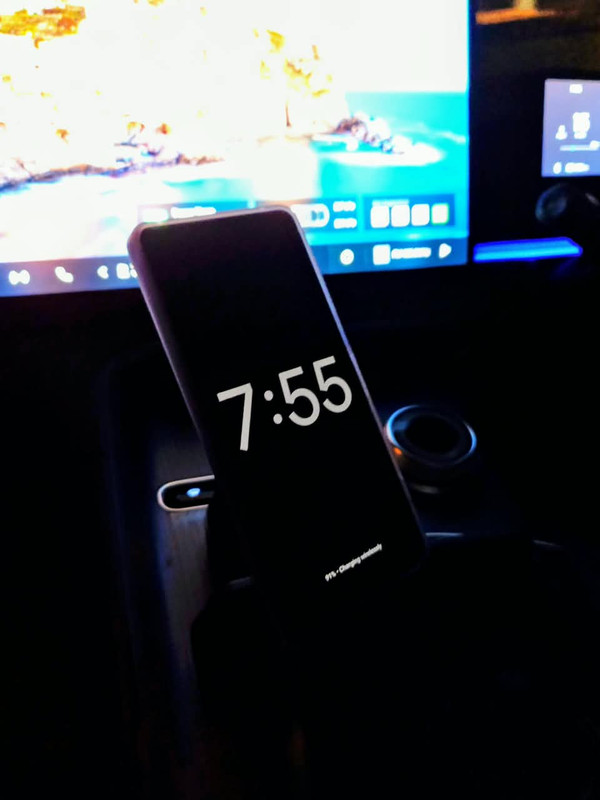
[ This Message was edited by: MyP910 on 2026-10-04 20:56 ]
--
Posted: 2026-10-04 21:53:58
Edit :
Quote
On 2026-10-01 15:33:43, moogoo wrote:
The bootloop seems to be related to the A17 update with a UI bug of some sort. The XDA user said it had to do with pulling down the notification pane and/or adjusting the volume because doing so would crash some system UI thing.
I asked if their unit is stock or custom modded. we'll see what they say.
I don't think this would be anything like the 1m7, which was a manufacturing defect at the hardware level.
This seems more like a niche occurrence. but I was curious if anybody else was experiencing anything.
I'm on A17, and so far I haven't had any issues.
--
Posted: 2026-10-04 22:01:24
Edit :
Quote
On 2026-10-04 22:01:24, MyP910 wrote:
On 2026-10-01 15:33:43, moogoo wrote:
The bootloop seems to be related to the A17 update with a UI bug of some sort. The XDA user said it had to do with pulling down the notification pane and/or adjusting the volume because doing so would crash some system UI thing.
I asked if their unit is stock or custom modded. we'll see what they say.
I don't think this would be anything like the 1m7, which was a manufacturing defect at the hardware level.
This seems more like a niche occurrence. but I was curious if anybody else was experiencing anything.
I'm on A17, and so far I haven't had any issues.
That's awesome that it's working flawlessly for you! Could you help me figure out what's going on with my setup by comparing it to yours? I'm hitting a really weird bug on my end.
If you have a couple of minutes, could you check a few details for me?
1. PC Setup: Are you running Windows 10 or 11? Also, how do you have the visibility configured in the Quick Share app on your PC? (Is it set to Everyone or Receive from your devices?)
2. The "Wi-Fi Off" Test: If you go to your Gallery, select a photo, and hit Share > Quick Share while your phone's Wi-Fi toggle is completely turned off (leaving only Bluetooth on)... does it instantly find your PC?
3. Wi-Fi Toggle Behavior: The exact moment you tap on your PC to send the file, do you notice if your phone's Wi-Fi toggle stays off, or does it automatically flip back on in the background? Does the transfer start immediately or does it lag for a second?
4. Speed: How long does it take to send a standard 2MB photo? Is it split-second fast or does it take a few seconds to kick in?
I'm just trying to pinpoint if Android 17 manages the radio chips differently depending on the phone brand or the Windows build. Thanks a ton if you can test this out!
--
Posted: 2026-10-05 07:23:01
Edit :
Quote
New Topic
Reply
