Sony Ericsson / Sony : Software, Firmware and Drivers : Display Reader - DB3150 Screenshooter
>
New Topic
>
Reply<
Esato Forum Index
>
Sony Ericsson / Sony >
Software, Firmware and Drivers
> Display Reader - DB3150 Screenshooter
Bookmark topic
just go to see a review
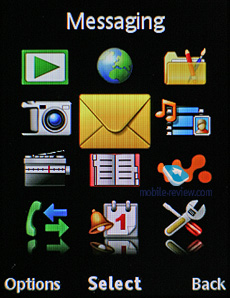
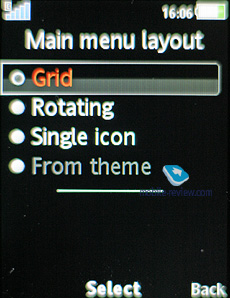
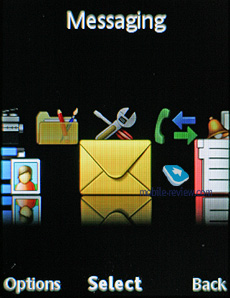
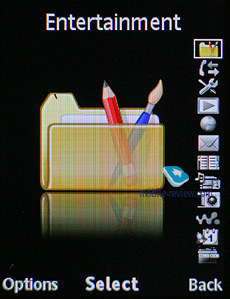
--
Posted: 2008-11-06 12:14:31
Edit :
Quote
I need exacly screenshot from a phone - I need to calculate some pixels for my new theme.
--
Posted: 2008-11-06 18:08:24
Edit :
Quote
Give me a minute, you'll get them.
edit: There we go.


[ This Message was edited by: xell on 2008-11-06 17:22 ]
--
Posted: 2008-11-06 18:18:17
Edit :
Quote
Won't connect on ANY COM ports on K810i
Help, what am I missing?
--
Posted: 2008-11-06 18:38:53
Edit :
Quote
@xell - thank you a lot for the screenshots.

--
Posted: 2008-11-06 20:00:30
Edit :
Quote
I tried using this by connecting my phone to comp via bluetooth using a com port, no look again
--
Posted: 2008-11-09 17:25:23
Edit :
Quote
@luke
try connecting your phone
before starting the application.
--
Posted: 2008-11-20 08:47:43
Edit :
Quote
How to connect my phone to it? my display reader doesn't even have com13. Desperate:X.
--
Posted: 2008-11-25 14:17:50
Edit :
Quote
go to your computer's properties> hardware> device manager. to the com ports, change the number.
--
Posted: 2008-11-25 20:24:18
Edit :
Quote
go to your computer's properties (done) > hardware (done) > device manager (done) . to the com ports (Ok You got me there.. There are stuff like batteries, bluetooth, computer,disk drive and etc etc) , change the number (Exactly how do you change its number? i dont even know what to press after device manager) o_O
--
Posted: 2008-11-26 09:49:02
Edit :
Quote
New Topic
Reply
