Sony Ericsson / Sony : Themes, ringtones, screensavers, games, video clips : Post your photoshopped wallpapers here!
>
New Topic
>
Reply<
Esato Forum Index
>
Sony Ericsson / Sony >
Themes, ringtones, screensavers, games, video clips
> Post your photoshopped wallpapers here!
Bookmark topic
these are great! you must have a lot of experience with photoshop, these wallpapers are very effective, hope 2 see some more

--
Posted: 2008-01-07 20:13:59
Edit :
Quote
Phew, I found some time to make another one.
(lots of homework

)
Absolute Zero

Hope you like it.
--
Posted: 2008-01-08 17:47:05
Edit :
Quote
been playin' with photoshop cs3 extended, like the new 3D tools

crab it
HERE[ This Message was edited by: funkadopest on 2008-01-09 09:44 ]
--
Posted: 2008-01-09 10:24:21
Edit :
Quote
Here's a new one:
Decompose
--
Posted: 2008-01-09 17:45:27
Edit :
Quote
I'm really proud of this next one:
Exotic Nights
Hope you like it.

--
Posted: 2008-01-11 16:55:01
Edit :
Quote
Have been working on another one, guys.
Luminiscence

Hope you like it.
PS. Yeah, I know I've been having this "Rings" theme going on for some while.
--
Posted: 2008-01-13 03:06:30
Edit :
Quote
I've got a new one (St. Valentine's day special)!
Abstract Heart

OK, I orignially made a 2000x2000 image for a friend (she had to make an image with a PC painting program regarding Valentine's day).
So I thought I should also turn it this into another wallpaper!
--
Posted: 2008-01-15 22:38:17
Edit :
Quote
On 2007-12-25 14:53:10, NightBlade wrote:
Here's my newest addition:
Liquid Gold
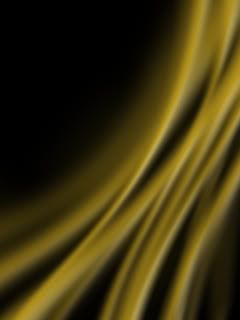
Classy
Beginner's tip
To create the above flow effect, just create some "reflected" gradients (as in, smooth/gradient lines) with the
Gradient tool (all in a new layer) in a relative direction, use
Selection tool>Right Click>Free Transform>Right Click>Warp or even
>Perspective to bend them a little and make them more flow-like and then use
Filter>Blur>Motion Blur in the desired direction. After that, play a little with
Blending Options>Bevel and Emboss to additionally differentiate the different flow parts and give it a more 3D look.
[ This Message was edited by: NightBlade on 2007-12-25 14:15 ]
okay,i don't know if it's just me but when i stare at this one for long it starts to seem like it's moving.truely brilliant,i love it!i love'm all...

--
Posted: 2008-01-22 21:09:17
Edit :
Quote
Thanks!
--
Posted: 2008-01-22 21:12:12
Edit :
Quote
Thought I'd make a new one, guys.
Rhythm

--
Posted: 2008-01-24 19:04:22
Edit :
Quote
New Topic
Reply
