>
New Topic
>
Reply<
Esato Forum Index
>
Sony Ericsson / Sony >
General
> Guide for album art on W850i
Bookmark topic
Right i know a couple of people have had trouble getting album art on there nice new W850i's so i thought i would make a little guide to show how i did it so you can take advantage of one of this phones new features.
You will need:
1. W850i Phone (with memorycard)
2. Memory card reader or supplied DC-60
3. A PC with itunes 7
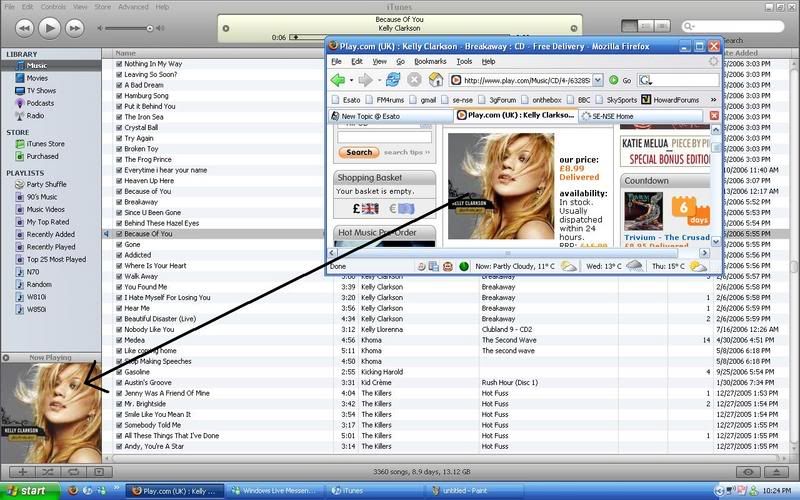
First of all i added album art to the songs i wanted it to be shown, this is very simple, just a case of finding the artwork (i used play.com) and dragging and dropping it into the corner where it is shown in itunes.
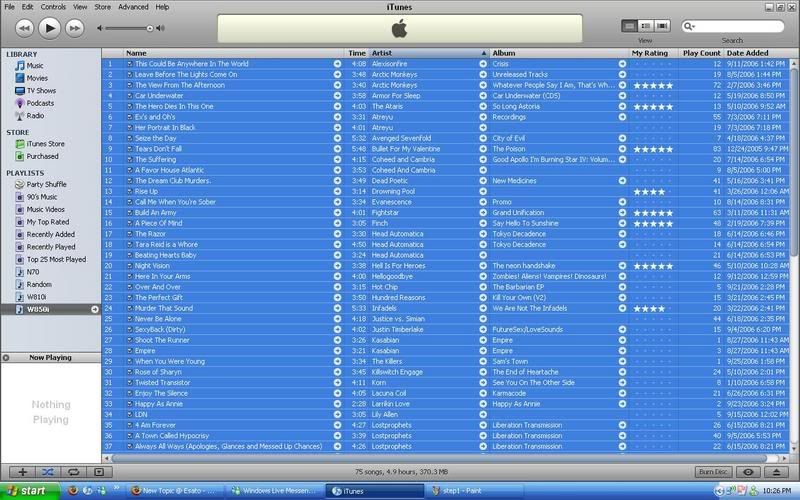
Then next i created a new playlist, just for convinience so i could drag all my songs at once to the memorycard
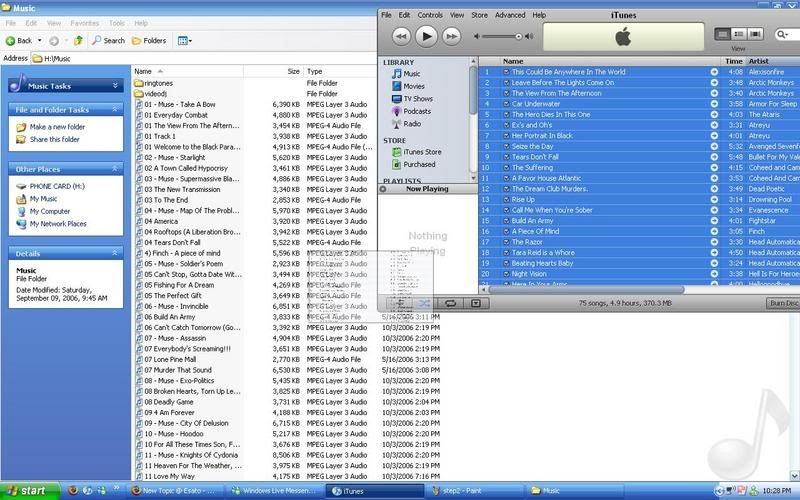
As shown i then higlighted all the songs in my new playlist, (ctrl+a) and then dragged them over to the phones memorycard. (either via DCU-60 or memorycard reader) i used the memorycard reader...
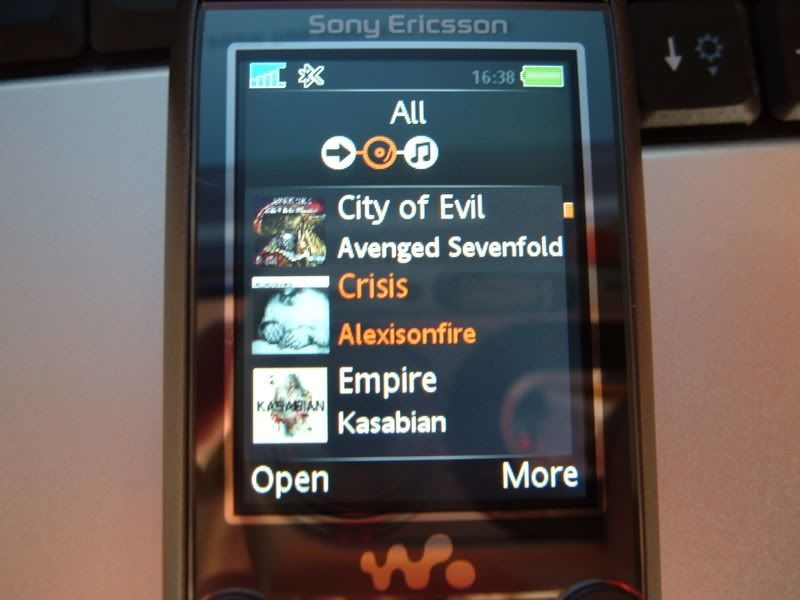
Then boot up the music player and voila album art should be there
Hopefully this helps anyone who has having trouble, if it dont then i am sorry i really dont know, this is just how i did it

--
Posted: 2006-10-03 23:32:45
Edit :
Quote
Thanks for the guide. I will have to try it right after my debranding goes through
--
Posted: 2006-10-03 23:36:17
Edit :
Quote
Yeah just to mention actually i am running Generic f/w if that makes any differance at all
Though it should'nt as album art was working with the O2 f/w before i flashed it

--
Posted: 2006-10-03 23:38:29
Edit :
Quote
i gotta try for p990i
--
Posted: 2006-10-04 01:26:05
Edit :
Quote
Cherrs for the guide dude!
--
Posted: 2006-10-04 01:42:09
Edit :
Quote
damn sweet guide there awsome, but is ther anything for us who dont use itunes, never liked for my ipod so i bought anapod instead.
--
Posted: 2006-10-04 06:11:33
Edit :
Quote
na dosnt works man.. i attach the image with artwork and then sace the file then copy the file to the music folder and then i also rebooted my p990i but dosnt the art image..
--
Posted: 2006-10-04 08:12:21
Edit :
Quote
Same here... some, not all of the album art went across
We may need a new plan...
--
Posted: 2006-10-04 12:43:25
Edit :
Quote
So some of the album art did go across?
It really is silly i reckon that SE did'nt make it easier to get album art on to it. Reading the pamplet that came with the phone (titled Energize your phone with music) on the last page it says
"Add album art to your tracks to further enhance your music collection. You can use third party PC software and plug in to add album art"
Thats it, would of been nice to know what 3rd part app to use or plug-in

--
Posted: 2006-10-04 12:48:19
Edit :
Quote
nope i give up this shit can go to hell until they come up with a better idea

[ This Message was edited by: hampad on 2006-10-04 15:09 ]
--
Posted: 2006-10-04 14:08:15
Edit :
Quote
New Topic
Reply
