Sony Ericsson / Sony : Software, Firmware and Drivers : In Depth Flashing Tutorial
>
New Topic
>
Reply<
Esato Forum Index
>
Sony Ericsson / Sony >
Software, Firmware and Drivers
> In Depth Flashing Tutorial
Bookmark topic
In this very in depth tutorial for beginners I am going to flash a K800i into a K810i, this is called crossflashing (crossflashing can only be done to some phones with some firmwares ask before you try).
YOU NEED FLASH DRIVERS GUYS

DB2020 ONLY, I DON'T TAKE RESPONSIBILITY FOR BRICKING YOUR PHONE
1. Download softwares all grouped together in one .rar file,
Flashing_Software.rar
(Contains XS++, setoolkit, SimLockPatchGen and qamaker). Then download the flash drivers, if you don't already have them then install them.
THEY ARE COMPULSARY
2. Downloading your appropiate firmwares and custom files from 4shared.com (try cybershot.4shared.com if not there do 4shared search)

3. Rename your 2 files to something easy to remember (ie. main.mbn and fs.fbn)


Then make a few folders (as below) to make everything easy to do after)

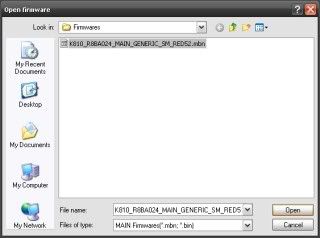
3. Open up SimLockPatchGen from "downloaded_archive>SIMLockPatchGen>SIMLockPatchGen.exe", and click on the file browser at the bottom, and find your file
Click make patch and this happens
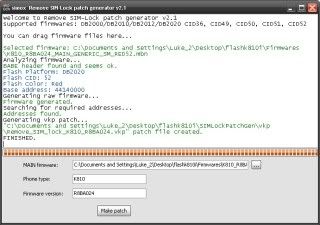
then in the SimLockPatchGen folder there will be a folder called "VKP", and there should be a patch in there. Put that in the "Stuff to go onto phone" folder and rename it to "Unlock"
4. Go onto folder "downloaded_archive>setoolkit>qamaker.exe" and this will open
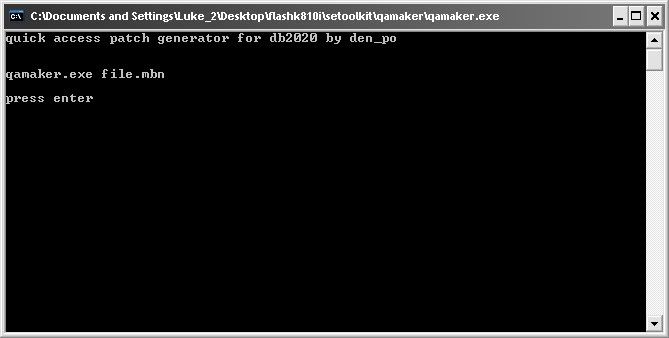
Follow the instructions in the program and then get the patch made and also put that in the "Stuff to go onto phone2 folder.
5. Now run XS++ from "downloaded_archive>XS++>XS++.exe".
This will open
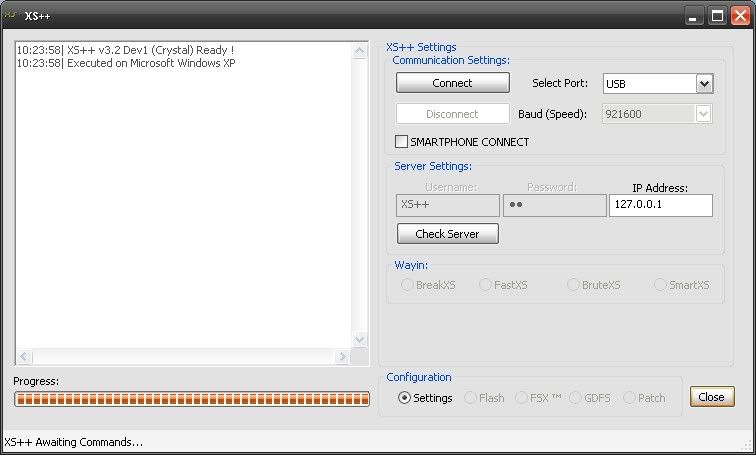
MAKE SURE IT SAYS CRYSTAL IN BRACKETS SIMILAR TO BELOW

IF NOT DON'T USE THAT PROGRAM, IT WILL BRICK YOUR PHONE
So when that is open you remove from phone the battery, sim card and Memory card just in case

Then put battery back in, and click the "Connect" button

Hold the "C" (delete) button on your phone, and put in your USB cable included with the phone (DCU-60). Once it is connected you will see something similar to this
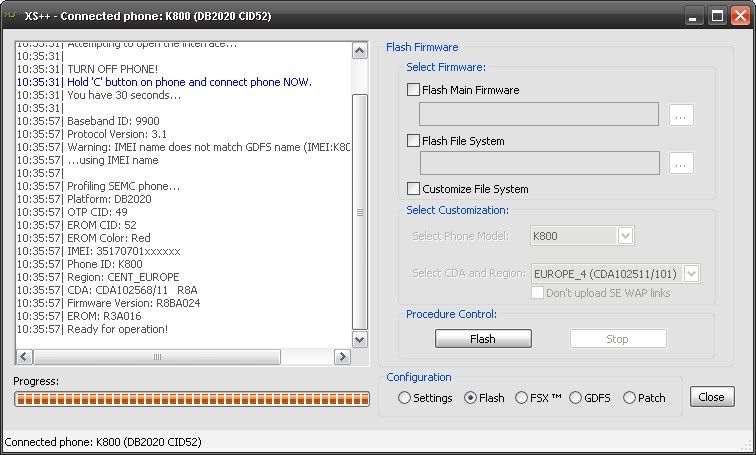
6. BACKUP GDFS. Go to GDFS button at bottom and then click BACKUP GDFS and save it somewhere obvious just in case
You now need to tick the boxes on the right and put the appropiate files in the appropiate boxes and put Customisation as own_custpack. In the directory of XS++ there is a folder called Own_Custpack, and in there we want to create some folders. Make TPA,
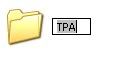
then inside that make preset,
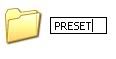
then inside there make a folder called custom,
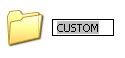
So the overall address is

Paste your custom files into there
Then click the "Flash" button

It will then start counting in the bottom left corner, and it will do that twice
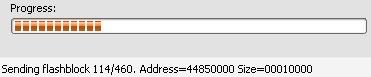
This is fine, it flashes your Main and FileSystem in blocks, and they are the blocks. Nothing spectacular to watch, quite boring actually

Just leave it to do its thing now

, go and listen to some music or do something for 5 minutes
Once it's done the first one it will start again and show this at the left hand side
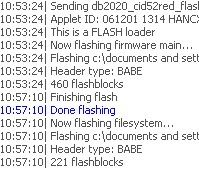
Then lots of green and black flashing down the left hand side
That's OK. Then when it says

then take out your battery, put it back in and your phone will turn on, but a problem, it is locked, so we need to unlock it, see post below
_________________
lukechris
K800 @ K810 SW-R8BA024
K800 CASINO ROYALE SILVER
TONS OF PATCHES (VKP & GFX), WALKMAN PLAYER FOR K810, PM ME FOR PATCHES
[ This Message was edited by: lukechris on 2008-10-20 16:27 ]
[ This Message was edited by: lukechris on 2009-01-23 18:23 ]
--
Posted: 2008-10-19 12:01:24
Edit :
Quote
Open up setool2lt.exe from the setoolkit folder. Select your phone, TICK DB2020 SECURITY and click on the "Add" button add your MAIN ONLY
IN MISC ADD YOUR QUICK ACCESS PATCH by clicking the 3 dots ...
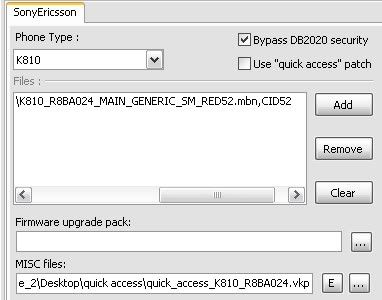
Click Flash (RIGHT HAND SIDE) and hold "C" button on phone and insert USB cable (DCU-60)
Then it bypasses security
Part 1 (quite quick)
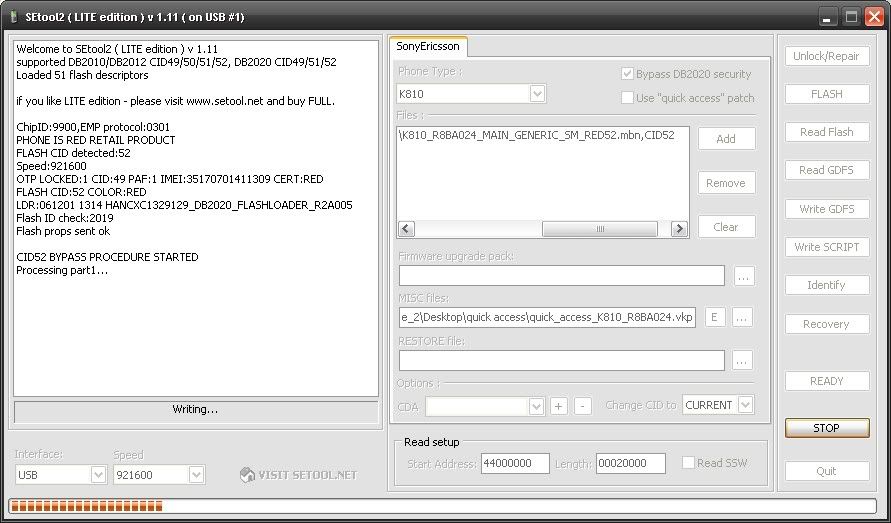
Part 2 (imbertween speed)
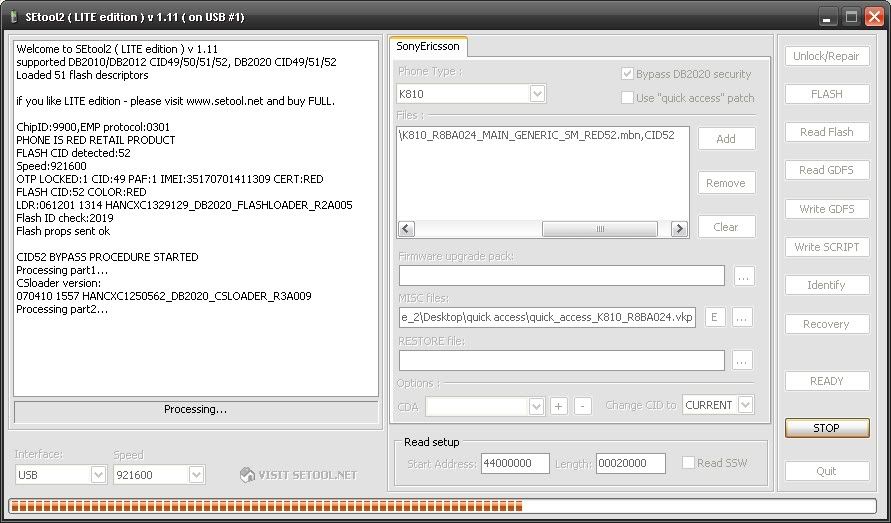
Part 3 (1 second) but then a long bit (5 minutes long
).
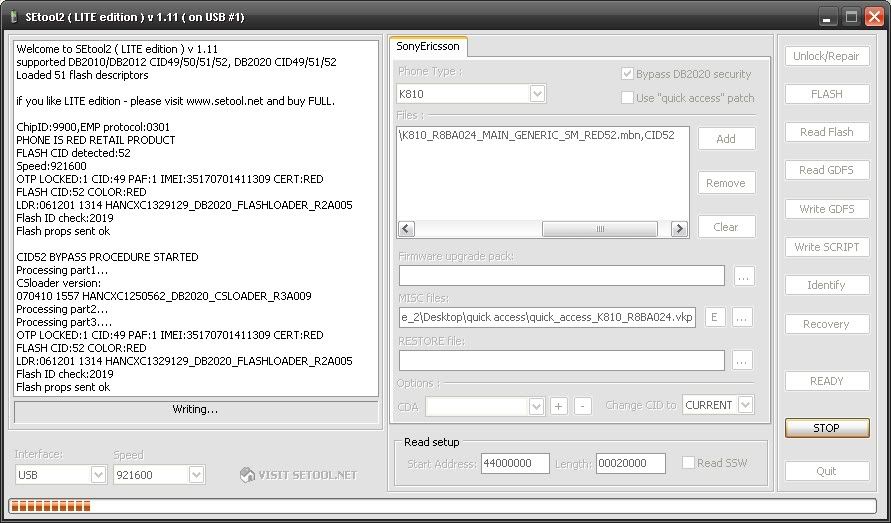
When that bit is eventually over you have to remove usb, then battery, click ready, hold "C" and last waiting now
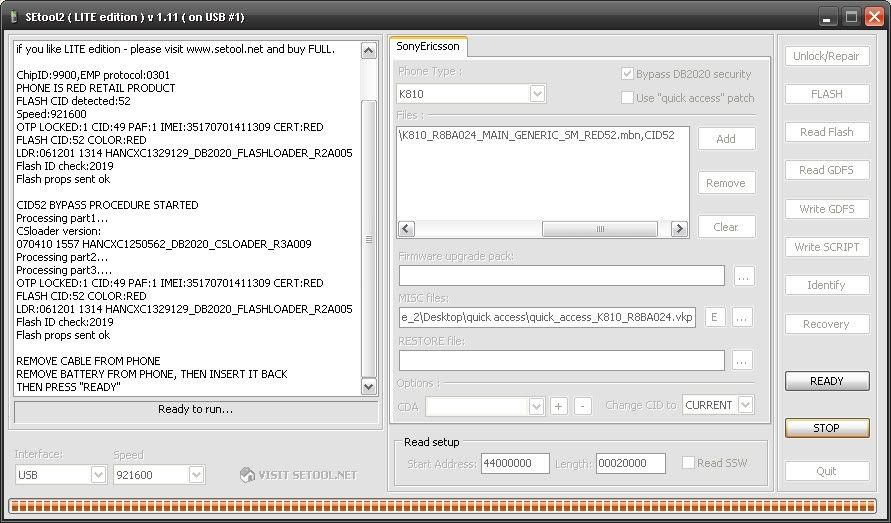
Last waiting now
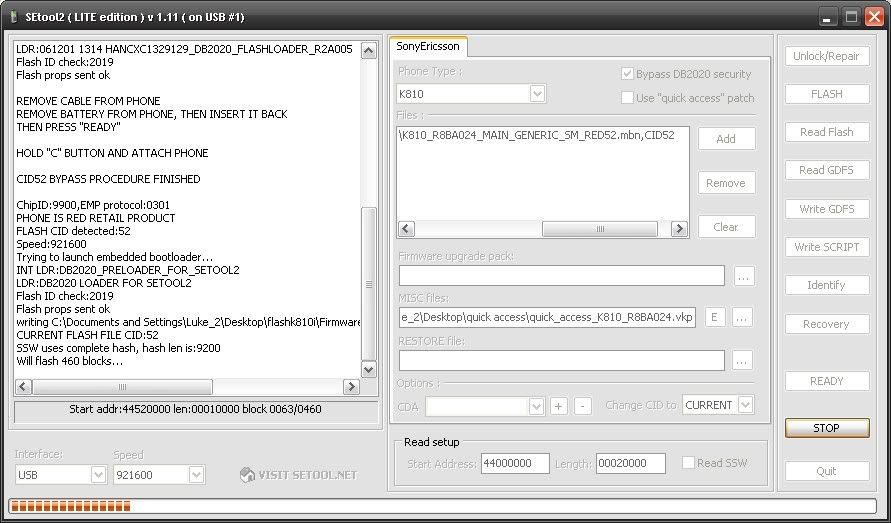
When you get a popup asking if you want to apply patch CLICK NO or else you will have to start again from this post not start all over again.
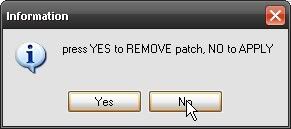
Now close and open setoollt2.exe again, choose phone, click
Use "Quick access" patch only and don't tick bypass security.
Go onto MISC and click 3 dots ... then add unlock patch, along right hand side click Write Script and NOT WRITE GDFS
Hold "C", Insert USB, Click no, and walla
TUTORIAL BY lukechris
_________________
lukechris
K800 @ K810 SW-R8BA024
K800 CASINO ROYALE SILVER
TONS OF PATCHES (VKP & GFX), WALKMAN PLAYER FOR K810, PM ME FOR PATCHES
[ This Message was edited by: lukechris on 2008-10-19 11:29 ]
[ This Message was edited by: lukechris on 2008-10-20 16:28 ]
--
Posted: 2008-10-19 12:05:14
Edit :
Quote
Nice tut but id say XS 3.1 is more stable than 3.2 as this a development version (DEV1).

--
Posted: 2008-10-19 12:12:00
Edit :
Quote
Thanks
I wanted this to be easy for a beginner so i flooded my photobucket with pics to show what you're doing
_________________
lukechris
K800 @ K810 SW-R8BA024
K800 CASINO ROYALE SILVER
TONS OF PATCHES (VKP & GFX), WALKMAN PLAYER FOR K810, PM ME FOR PATCHES
[ This Message was edited by: lukechris on 2008-10-19 11:29 ]
--
Posted: 2008-10-19 12:14:37
Edit :
Quote
TUT DONE
--
Posted: 2008-10-19 12:32:34
Edit :
Quote
On 2008-10-19 12:05:14, lukechris wrote:
Open up setool2lt.exe from the setoolkit folder. Select your phone, TICK DB2020 SECURITY and in the firmware box add your MAIN ONLY
IN MISC ADD YOUR QUICK ACCESS PATCH by clicking the 3 dots ...
noo add the firmware in the files box
I put it in the firmware box once and it corrupted the main
--
Posted: 2008-10-20 07:03:13
Edit :
Quote
Very clear tutorial !!!
Please make this a sticky . . .
--
Posted: 2008-10-20 12:07:51
Edit :
Quote
@ yea g
Changed
@groovepeppy
Thank you I appreciate it
--
Posted: 2008-10-20 17:26:11
Edit :
Quote
This will (might) be my first sticky, is that something to be happy about?
--
Posted: 2008-10-20 18:12:21
Edit :
Quote
he he . .
you should be, just be well informed so you can add any update regarding flashing term...
sorry, my English is kind of rubbish
--
Posted: 2008-10-22 11:05:56
Edit :
Quote
New Topic
Reply
