Regional : Asia Pacific : Probable Working CGI Servers & SSL Proxies for Sun Users (Updated June 05, 2010)
>
New Topic
>
Reply<
Esato Forum Index
>
Regional >
Asia Pacific
> Probable Working CGI Servers & SSL Proxies for Sun Users (Updated June 05, 2010)
Bookmark topic

 Connection Name:
 Sun INTERNET
APN: minternet
PA: None
Port:0
Use the
default setting in your Opera Mini, preferably Symbian but you can try OM java like OM5.2 shiangtao mod, then connect to default
Sun Internet 
Working Global IP's:
The Sun MMS Trick Settings below the line are not working in the Philippine settings anymore but i will not delete it
for reference purposes. Just like the Global IP's presented herein where still in use as of today. Some sub topics are still intack and remain in use like section IV
How to Activate your Sun GPRS?...
Signed: Remo January 05, 2010
-------------------------------------------------------------------------------------------------------------------
Access Point:
Connection Name: Sun MMS
IP: 202.138.159.78
Port: 8080
APN: mms
I. List of Working Sun MMS Servers:
Try to use any previous versions of OM4.2 Multiserver/MultiOperator and OM4.2 Handler UI. Sun MMS servers works best on previous OM versions. However, if the CGI server is fast enough, you can still use your OM4.2 Labs Handler UI and OM5 Final Handler UI.
The servers are working very well with my
OM4.2 Torque Handler Multiwindow,
OM4.2 Labs Handler UI,
OM5 Final Handler UI, and
OM5 Final Shiangtao and it might work for you too. By the way im using N70 music edition, my location is somewhere in Cavite, just to let you know, keep testing and trying
 securehost46, public, suresome, and...are working well as of today June 05, 2010.
Try to replace the emulators (mini5beta.opera-mini.net, beta.opera-mini.net. server4.operamini.com) with working numerical
Global IP's 80.239.242.xxx to boost the server.
May 28, 2010:Custom HTTP Server:https://securehost46.hrwebservices.net/~dtagcom/phr/cgi-bin/cgiproxy/nph-proxy.cgi/010110A/http/server4.operamini.com:80
May 10, 2010:Custom HTTP Server:https://public.rz.fh-wolfenbuettel.de/~carsteng/nph-via.cgi/010110A/http/80.239.242.159 or via its numeric IP:https://141.41.1.50/~carsteng/nph-via.cgi/010110A/http/beta.opera-mini.net:80
May 09, 2010:Custom HTTP Server:https://suresome.com/proxy/nph-secure/010110A/http/80.239.242.174
May 06, 2010:Custom HTTP Server:https://lelook.com/cgi-bin/nph-get.cgi/010110A/http/80.239.242.174
May, 06, 2010:Custom HTTP Server:https://scarewar.com/cgi-bin/nph-get.cgi/010101A/http/80.239.242.174
May, 05, 2010: BM:https://securehost46.hrwebservices.net/~dtagcom/phr/cgi-bin/cgiproxy/nph-proxy.cgi/010110A/http/url of site
May, 04, 2010: Custom HTTP Server:https://gowingo.com/cgi-bin/nph-get.cgi/010110A/http/80.239.242.113
May, 04, 2010: Custom HTTP Server:https://flyproxy.com/nph-proxy.pl/010110A/http/80.239.242.159
April, 29, 2010: Custom HTTP Server:https://obmem.com/cgi-bin/cgiproxy/nph-proxy.pl/010110A/http/80.239.242.113
April, 29, 2010: Custom HTTP Server:https://random.hopto.org/cgi-bin/nph-proxy.cgi/010110A/http/80.239.242.174
April, 29, 2010: Custom HTTP Server:https://public.rz.fh-wolfenbuettel.de/~carsteng/nph-via.cgi/010110A/http/80.239.242.159
April 25, 2010: Custom HTTP Server:https://anonyahoo.com/cgi-bin/nph-get.cgi/010110A/http/80.239.242.112
April 22, 2010: Custom HTTP Server:https://random.hopto.org/cgi-bin/nph-proxy.cgi/010110A/http/mini5beta.opera-mini.net:80
April 18, 2010: Custom HTTP Server:https://suresome.com/proxy/nph-secure/010110A/http/mini5beta.opera-mini.net:80
April 18, 2010: Custom HTTP Server:https://mailwit.com/cgi-bin/nph-get.cgi/010110A/http/mini5beta.opera-mini.net:80
April 18, 2010: Custom HTTP Server:https://lelook.com/cgi-bin/nph-get.cgi/010110A/http/mini5beta.opera-mini.net:80
April 17, 2010: Custom HTTP Server:https://lodgeus.com/cgi-bin/nph-get.anonyahoo/010110A/http/mini5beta.opera-mini.net:80
April 17, 2010: Custom HTTP Server:https://lodgeus.com/cgi-bin/nph-get.anonadult/010110A/http/mini5beta.opera-mini.net:80
April 17, 2010: Custom HTTP Server:https://lodgeus.com/cgi-bin/nph-get.anonlove/010110A/http/mini5beta.opera-mini.net:80
April 17, 2010: Custom HTTP Server:https://lodgeus.com/cgi-bin/nph-get.cgi/010110A/http/mini5beta.opera-mini.net:80
April 16, 2010: Custom HTTP Server:https://anonlove.com/cgi-bin/nph-get.cgi/010110A/http/mini5beta.opera-mini.net:80
April 14, 2010: Custom HTTP Server:https://anonadult.com/cgi-bin/nph-get.cgi/010110A/http/mini5beta.opera-mini.net:80
April 14, 2010: Custom HTTP Server:https://foxyn.com/cgi-bin/nph-get.cgi/010110A/http/mini5beta.opera-mini.net:80
April 13, 2010: Custom HTTP Server:https://anongoogle.com/cgi-bin/nph-get.cgi/010110A/http/mini5beta.opera-mini.net:80
April 13, 2010: Custom HTTP Server:https://anonyahoo.com/cgi-bin/nph-get.cgi/010110A/http/mini5beta.opera-mini.net:80
=================================================================================
April, 12, 2010: Custom HTTP Server:https://public.rz.fh-wolfenbuettel.de/~carsteng/nph-via.cgi/010110A/http/beta.opera-mini.net:80
=================================================================================
April, 09, 2010: Custom HTTP Server:https://obmem.com/cgi-bin/cgiproxy/nph-proxy.pl/010110A/http/server4.operamini.com:80
II. List of Working SSL Proxies as of 04212010:
Credit to Remo
Bookmark/BM
BM:
https://clearlydrunk.com
BM:
https://launchwebs.org
BM:
https://faceofliberty.com
BM:
https://www.libertybell.biz
BM:
https://unblok.info
BM:
https://byefilter.info
BM:
https://liberatethenet.info
Glype
Credit to Remo
BM:
https://freesslproxy.com
BM:
https://sslunblock.com
Credit to Quickformat
BM:
https://liberatethenet.com
III. Settings for Different Handler Applications and Others:
A. OM4.2 and OM5 Handler Settings:

The Settings for your OM4.2 Labs Handler UI 145 is far different from the previous OM4.2 Handlers. Likewise, OM5 Final Handler UI 143 from OM5.0 beta and OM5 beta2 Handlers.
A.1.
OM4.2 Labs Handler UI 145 & OM5.0 Final Handler UI 143 Settings:
Operator Trick
Operator: select any Custom (1-5)
Config Name: public
Custom HTTP Server:https://public.rz.fh-wolfenbuettel.de/~carsteng/nph-via.cgi/010110A/http/80.239.242.174
Custom Socket Server:
socket://server4.operamini.com:1080
Front Query: public.rz.fh-wolfenbuettel.de/~carsteng/nph-via.cgi/010110A/http/
Middle Query: do not fill
Back Query: do not fill
Filter: do not fill
Add Port to Non-Port URL: do not fill
Remove Port from URL: mark it
Use Proxy: No Proxy
Proxy Server: do not fill
User Name: do not fill
Password: do not fill
A.2. For
Multi Operator and
Multi server Opera Mini: Just copy the
Custom HTTP Server and place it on your OM
Custom Server.
A.3.
Previous OM4.2 Handlers, OM 5.0 Beta Handler & OM5.0 Beta2 Handler UI Settings:
1.
Custom HTTP Server: https://obmem.com/cgi-bin/cgi[....]/http/server4.operamini.com:80 Working since 04092010 up to now
Front Querry: obmem.com/cgi-bin/cgiproxy/nph-proxy.pl/010110A/http/
Remove String from URL: global-4-lvs-seele.opera-mini-net
Remove Port from URL: mark it
2.
Custom HTTP Server: https://public.rz.fh-wolfenbu[....]0A/http/beta.opera-mini.net:80 or via its numeric IP:https://141.41.1.50/~carsteng/nph-via.cgi/010110A/http/beta.opera-mini.net:80
tested working today 04122010
Front Querry: public.rz.fh-wolfenbuettel.de/~carsteng/nph-via.cgi/010110A/http/
Remove String from URL: global-4-lvs-seele.opera-mini-net
Remove Port from URL: mark it
3.
Custom HTTP Server: https://mailwit.com/cgi-bin/n[....]tp/mini5beta.opera-mini.net:80
Front Querry: mailwit.com/cgi-bin/nph-get.cgi/010110A/http/
Remove String from URL: global-4-lvs-seele.opera-mini-net
Remove Port from URL: mark it
4.
Custom HTTP Server: https://suresome.com/proxy/np[....]tp/mini5beta.opera-mini.net:80
Front Querry: suresome.com/proxy/nph-secure/010110A/http/
Remove String from URL: global-4-lvs-seele.opera-mini-net
Remove Port from URL: mark it
5.
Custom HTTP Server: https://foxyn.com/cgi-bin/nph[....]/http/server4.operamini.com:80
Front Querry: foxyn.com/cgi-bin/nph-get.cgi/010110A/http/
Remove String from URL: global-4-lvs-seele.opera-mini-net
Remove Port from URL: mark it
6.
Custom HTTP Server: https://gowingo.com/cgi-bin/n[....]/http/server4.operamini.com:80
Front Querry: gowingo.com/cgi-bin/nph-get.cgi/000000A/http/
Remove String from URL: global-4-lvs-seele.opera-mini-net
Remove Port from URL: mark it
7.
Custom HTTP Server: https://concealme.com/nph-pro[....]/http/server4.operamini.com:80
Front Querry: concealme.com/nph-proxy.pl/010110A/http/
Remove String from URL: global-4-lvs-seele.opera-mini-net
Remove Port from URL: mark it
8.
Custom HTTP Server: https://flyproxy.com/nph-prox[....]/http/server4.operamini.com:80
9.
Custom HTTP Server: https://anonlove.com/cgi-bin/nph-get.cgi/010110A/http/ server4.operamini.com:80
10.
Custom HTTP Server: https://anonyahoo.com/cgi-bin[....]tp/mini5beta.opera-mini.net:80 working today 04122010 12:38 am
11.
Custom HTTP Server: https://74.53.161.68/cgiproxy[....]0A/http/beta.opera-mini.net:80
12.
Custom HTTP Server: https://38.108.124.225/cgi-bi[....]0A/http/beta.opera-mini.net:80 credited to acebryant08
13.
Custom HTTP Server: https://lelook.com/cgi-bin/np[....]/http/server4.operamini.com:80
14.
Custom HTTP Server: https://lodgeus.com/cgi-bin/n[....]0A/http/beta.opera-mini.net:80
15.
Custom HTTP Server: https://scarewar.com/cgi-bin/[....]1A/http/beta.opera-mini.net:80
16.
Custom HTTP Server: https://anongoogle.com/cgi-bi[....]tp/mini5beta.opera-mini.net:80 tested working 12:05 am 04132010
17.
Custom HTTP Server: https://random.hopto.org/cgi-[....]0A/http/beta.opera-mini.net:80 built-in is working 04212010
18.
Custom HTTP Server:https://securehost46.hrwebservices.net/~dtagcom/phr/cgi-bin/cgiproxy/nph-proxy.cgi/010110A/http/server4.operamini.com:80
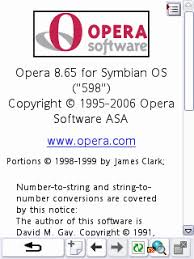
B. Opera built 8.65 (Ob8.65) & Built-in Settings:

Bookmark/BM
1. BM:
https://obmem.com/cgi-bin/cgiproxy/nph-proxy.pl/010110A/http/url of site
2. BM:
https://public.rz.fh-wolfenbu[....]via.cgi/010110A/http/esato.com
3. BM:
https://mailwit.com/cgi-bin/nph-get.cgi/010110A/http/esato.com
4. BM:
https://suresome.com/proxy/nph-secure/010110A/http/esato.com
5. BM:
https://foxyn.com/cgi-bin/nph-get.cgi/010110A/http/esato.com
6. BM:
https://gowingo.com/cgi-bin/nph-get.cgi/010110A/http/esato.com
7. BM:
https://concealme.com/nph-proxy.pl/010110A/http/esato.com
8. BM:
https://flyproxy.com/nph-proxy.pl/010110A/http/esato.com
9. BM:
https://anonlove.com/cgi-bin/nph-get.cgi/010110A/http/esato.com
10. BM:
https://anonyahoo.com/cgi-bin/nph-get.cgi/010110A/http/esato.com
11. BM:
https://74.53.161.68/cgiproxy/nph-proxy.pl/010110A/http/esato.com
12. BM:
https://38.108.124.225/cgi-bi[....]roxy.pl/010110A/http/esato.com
13. BM:
https://lelook.com/cgi-bin/nph-get.cgi/010110A/http/esato.com
14. BM:
https://lodgeus.com/cgi-bin/nph-get.cgi/000010A/http/esato.com
15. BM:
https://scarewar.com/cgi-bin/nph-get.cgi/010101A/http/esato.com
16. BM:
https://anongoogle.com/cgi-bin/nph-get.cgi/010110A/http/esato.com
17. BM:
https://random.hopto.org/cgi-bin/nph-proxy.cgi/010110A/http/url of site
18. BM:
https://securehost46.hrwebser[....]nph-proxy.cgi/010110A/http/url of site
B.1. Application to Ob8.65:
1. Open your ob8.65 device
2. Press Menu and select "Go to (#1)". Proceed and type the new homepage in the url box:
https://public.rz.fh-wolfenbu[....]via.cgi/010110A/http/esato.com
Then press "Go to" and the device will be prompted.
3. Select Sun MMS Access Point:
IP: 202.138.159.78
Port: 8080
APN: mms
4. Wait for a while until your connected. When the site appears on your celfon screen, bookmark it! It will serve as your homepage reference.
5. Login, dont forget to bookmark our site esato and other sites you wanted to visit. Enjoy browsing kaSunLambingan.
B.2. Application to Cellpones Built-in:
B.2.1. For s40
1. Go to Menu> select Settings> select Configurations> select Personal configurations> select Sun MMS> press Options> select Activate: it is activated as preferred access point, press back
2. Scroll down and select Default configuration settings> press Options> select Sun MMS Set as default and scroll down
3. Select Activate default for all applications> the celfon prompts Activate default in all applications? Press Yes: default is activated in all applications, press back twice
4. Select Web> from Web options select and press Bookmarks> select New bookmark>
Enter address:
https://random.hopto.org/cgi-[....]oxy.cgi/010110A/http/esato.com press OK
Enter title: random, press OK, bookmark was added
5. Select the New bookmark and press to connect. This site has sent an untrusted certificate. Connect anyway? Press Options> Select and press Continue. Wait until your connected.
6. Login, dont forget to bookmark our site Esato and other sites you wanted to visit. Enjoy browsing kaSunLambingan
B.2.2. For s60, s60v2, and the like:
1. Go to Menu, select and press Web> press Options> select Settings> select Access point Sun MMS and press back.
2. Press Options> select Bookmark Manager> select Add bookmark>
Name: random
Address:https://random.hopto.org/cgi-bin/nph-proxy.cgi/010110A/http/esato.com
Access Point: Default
Username: do not fill
Password: do not fill
Then press back, the celfon prompts Save changes?> press Yes
3. Press new bookmark random to start connection> it will prompt to Connection to server needed. Connect? Press Yes...Connecting via ''Sun MMS''
4. This site has sent an untrusted certificate. Connect anyway? Press Options> Select and press Continue. Wait until your connected.
5. Login, dont forget to bookmark our site Esato and other sites you wanted to visit. Enjoy browsing kaSunLambingan
C. aED, Bolt, Ebuddy, G-Maps, Mig33, SHMessenger, Snaptu, & Ucweb Handler UI Settings:

OperatorTrick 1
Front Query: obmem.com/cgi-bin/cgiproxy/nph-proxy.pl/010110A/http/ or use any of the MMS servers that i have posted here.
Leave other Queries and boxes blank
OperatorTrick 2
Front Query: public.rz.fh-wolfenbuettel.de/~carsteng/nph-via.cgi/010110A/http/
OperatorTrick 3
Front Query: mailwit.com/cgi-bin/nph-get.cgi/010110A/http/
OperatorTrick 4
Front Query: suresome.com/proxy/nph-secure/010110A/http/
OperatorTrick 5
Front Query: anonlove.com/cgi-bin/nph-get.cgi/010110A/http/
OperatorTrick
Front Query: anonyahoo.com/cgi-bin/nph-get.cgi/010110A/http/
OperatorTrick
Front Query: foxyn.com/cgi-bin/nph-get.cgi/010110A/http/
OperatorTrick
Front Query: anonadult.com/cgi-bin/nph-get.cgi/010110A/http/
OperatorTrick
Front Query: lodgeus.com/cgi-bin/nph-get.cgi/000010A/http/
OperatorTrick
Front Query: anongoogle.com/cgi-bin/nph-get.cgi/010110A/http/
D. Download:
Sun_202.138.159.78.remo.zip
Aed460HandlerUI.jar(58.28 KB)
Bolt2.0HandlerUI143.jar(255.23)
Ebuddy150betaHandlerUI141.jar(292.37 KB)
Gmaps232HandlerUIproxy.jar(444.85 KB)
Mig33v420betaHandlerUI121.jar(168.33 KB)
Opmin5018741HandlerUI143.jar(286.43 KB)
OM5-shiangtao multi latestjar.zip(276.08 KB)
Opmin42LabsHandlerUI145Rev4.jar(186.01 KB)
ShMessenger Handler121UI mod v3.17.jar(203 Kb)
SnapTu128 HandlerUI142.jar (121 Kb)
UCbrowser 7.0.041 Handler UI 142 International Edition.jar(340 kb)
E. Follow this steps in downloading prov file:
1. Download the provisionary file using your
s60 fon or
PC. Rename it to
.prov file using file Xplorer if is in extension filename
.zip or
.ext. However, if it is already in
.prov file do not alter it.
2. Then transfer the prov file to your
s40 fon via
infrared or
bluetooth
3. Save settings and use it as your
default web connection.
IV. How to Activate your Sun GPRS?
1. Turn off your cellpone. Open the back cover.
2. Insert your newly acquired Sun simcard into the Sim card holder. Make sure that the contact area of the card is facing the connectors on the device and the bevelled corner on the card is facing the base of the device.
3. Close the Sim card holder, and lock it into place.
4. Replace the back cover.
5. Turn on your cellphone.
6. You will recieve an automated message from 202. "Recieve FREE handset settings to access Mobile Internet, WAP, and MMS services. Just reply YES to this message. When asked for a pin, enter 1234."
7. Text
YES and send to
202
8. You will recieve the settings from the Service provider. Select
Save from
Options to configure all settings.
Access Points:
Connection Name: Sun MMS
APN: mms
IP: 202.138.159.78
Port: 8080
Homepage:
http://mmscenter.suncellular.com.ph
Connection Name: SUN INTERNET
APN: minternet
PA: None
Port: 0
Connection Name: SUN WAP
APN: wap
IP: 202.138.159.78
Port: 8080
Homepage:
http://www.suncellular.com.ph
Bookmarks:
SUN WAP
SUN INTERNET
Multimedia access points:
SUN MMS
Web settings:
SUN WAP
9. After saving the settings you will recieve an automated message from
7210 informing you that your account is already active.
10. In the event that you did not recieve an automated message from 202. Text
ACTIVATE and send to
2300. The activation message will be sent to you. Select
Save from
Options to configure all settings.
10. You can start using your
Sun GPRS now.
I want to see your feedback kaSunLambingan, thanks


[ This Message was edited by: Remo101 on 2011-01-05 03:56 ]
--
Posted: 2010-04-12 07:19:30
Edit :
Quote
Mga kaSunLambingan ko dito sa esato, dalawa po yang working CGI server sa araw na ito, yong mga probable working cgi ay nagwowork din kagaya ng lodgeus at iba pa. Pakitry ninyo. Maraming salamat po
--
Posted: 2010-04-12 07:30:01
Edit :
Quote
Andami huh, anyway thanks po dito!


--
Posted: 2010-04-12 08:49:00
Edit :
Quote
Yahoo, bibili ako ng 10 peso sun sim tomorrow. Lapsed na yung sim ko! Thanks remo! By the way i'm goarthur77 of pd, zero post, also i'm goarthur1031 of sb, also zero post! Wahuhuy!
--
Posted: 2010-04-12 18:48:51
Edit :
Quote
@ goarthur, tol renzo ang un ko sa pd, ganito din ang thread ko doon, welcome kaSunLambingan hehehe
--
Posted: 2010-04-12 19:02:07
Edit :
Quote
koya, ilang load kelangan para sa sun? N2700 gamit ko, failed to connect, my MMS prov file na din, kaso failed, waihihi.. OM42HUI132 gamit ko.
--
Posted: 2010-04-14 09:04:00
Edit :
Quote
koya, ilang load kelangan para sa sun? N2700 gamit ko, failed to connect, my MMS prov file na din, kaso failed, waihihi.. OM42HUI132 gamit ko.
--
Posted: 2010-04-14 09:07:16
Edit :
Quote
On 2010-04-14 09:07:16, litemint wrote:
koya, ilang load kelangan para sa sun? N2700 gamit ko, failed to connect, my MMS prov file na din, kaso failed, waihihi.. OM42HUI132 gamit ko.
kahit 1 peso lang po gagana na ang Sun MMS servers na working kaSunLambingan lite hehehe
--
Posted: 2010-04-14 10:19:20
Edit :
Quote
Good morning esatonians and kaSunLambingan, updated na po today ang ating mga MMS servers. Lahat po ng nasa list ng working Sun MMS servers ay tested working sa aking N70 music edition. My location is somewhere in Cavite hehehe
--
Posted: 2010-04-16 03:41:44
Edit :
Quote
author ikaw po ba c enzo ng pd? salamat dito ha. dami dami. ^^
--
Posted: 2010-04-16 05:44:28
Edit :
Quote
New Topic
Reply
